Sales
Contacts, companies, deals and one timeline per customer.
Everything your team knows about a customer is on their page: who they are, the company they work for, the deals in progress, and a timeline of every email, call, note, task and change. It is the same record your support team answers from.
A pipeline you can read at a glance
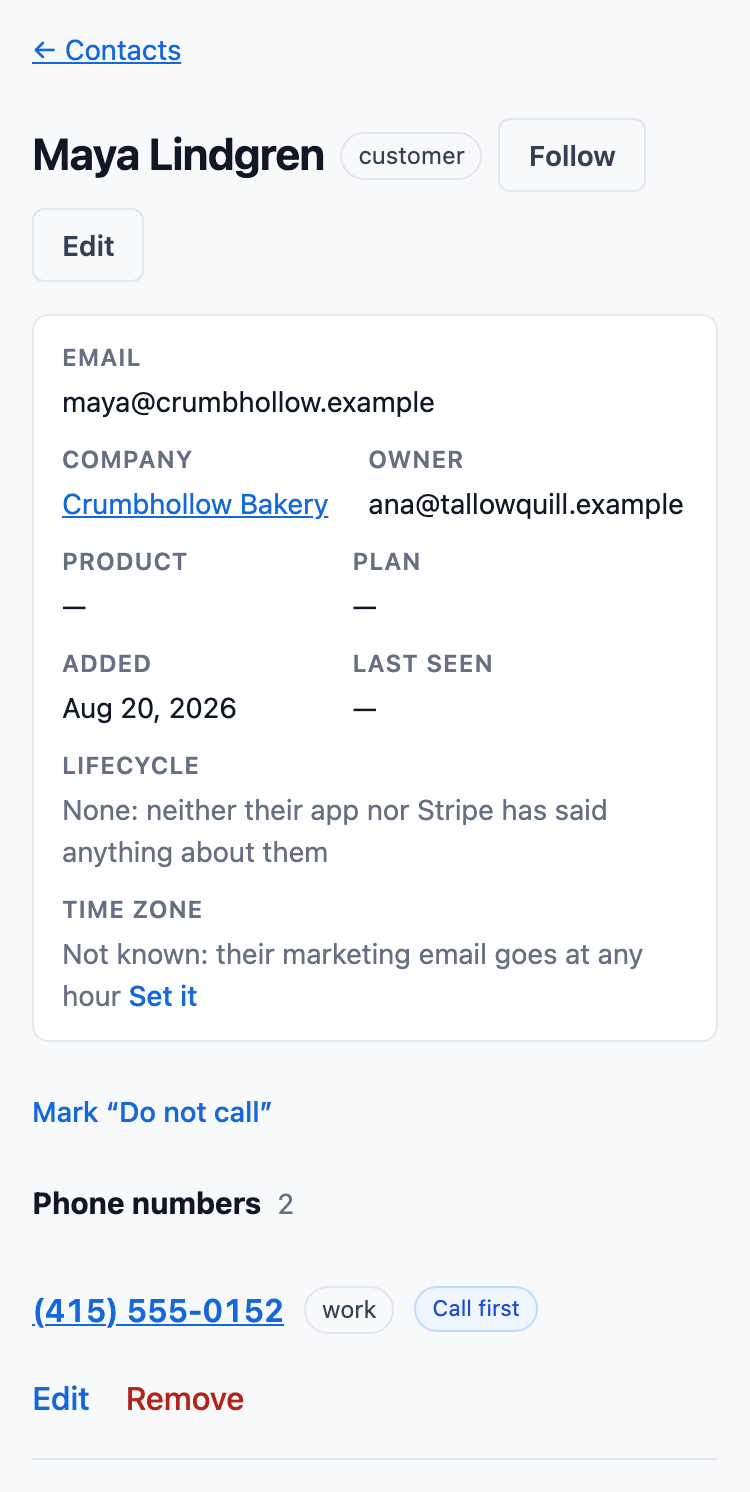
Deals move through stages your administrator names: dragged across the board at a desk, or with a button that moves a deal to any stage, which works from a keyboard and on a phone.
- Each stage shows what its deals add up to, and what they are likely to be worth at that stage's chance of winning.
- A deal keeps the support cases that led to it.
- Money is stored in whole cents, or the currency's smallest unit, never as a rounded number.
- A lost deal needs a reason.
One timeline for each customer
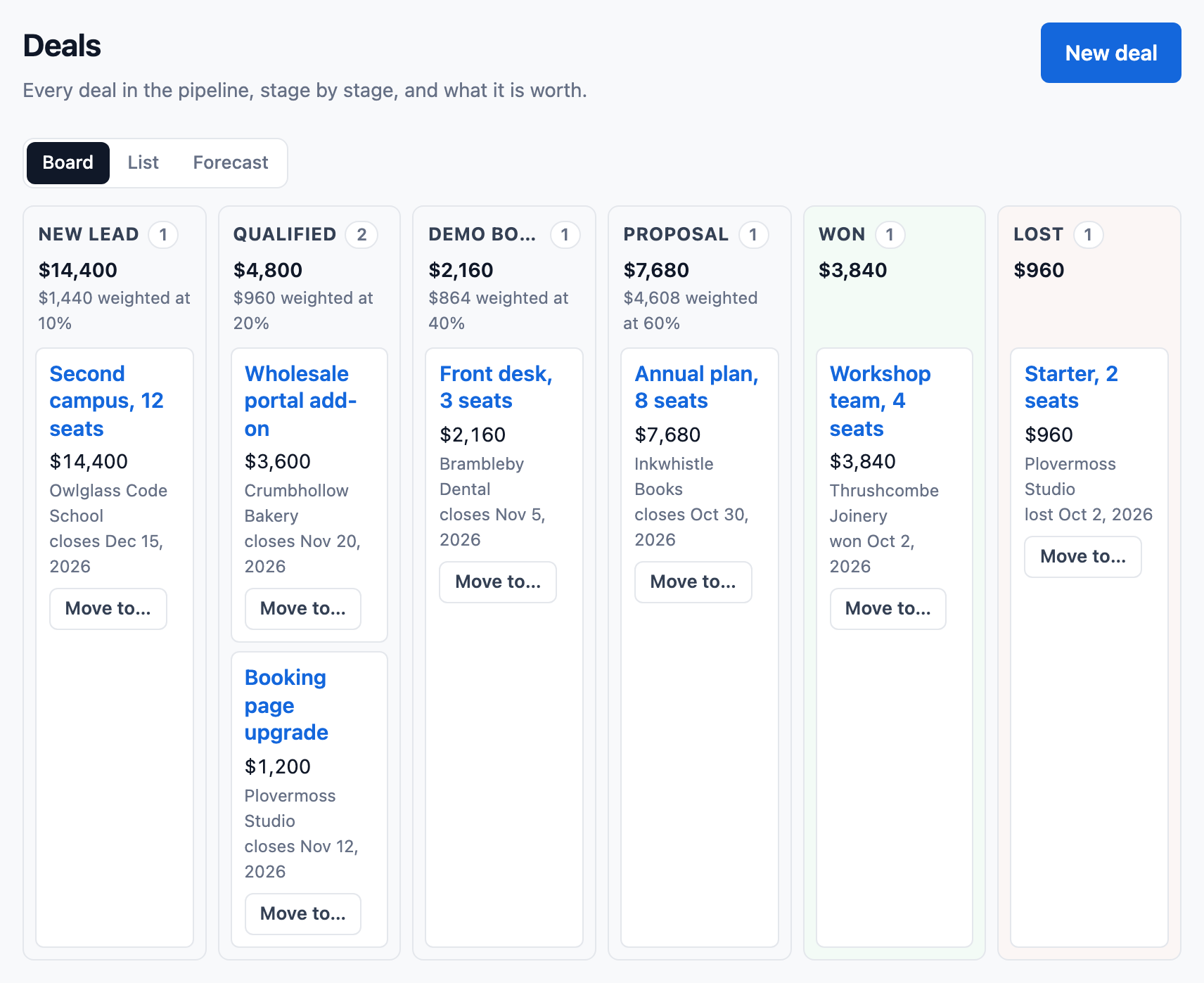
A contact's page shows their timeline: the contact's own entries and those of their cases, newest first. A company's page gathers its people's entries, and a deal's page gathers those of the cases linked to it.
- Replies, calls, tasks, notes, changes of owner and status, and emails sent, each shown once.
- Several phone numbers per contact and company, one marked to call first.
- Log a call made on another phone, with how it went and a callback task in one click.
- Search finds a person by half a name, an address or an exact phone number.
Quotes, territories and the rest of a sales team’s week
On every plan, Free included, within Free’s limits.
Products, price books and quotes
Keep a catalog with price books, add line items to a deal, and send a quote your customer opens without signing in, downloads as a PDF and accepts or declines online. A discount past your limit waits for approval. ContactRoll does not work out tax (how quotes work).
Sales teams, territories and quotas
Give each team a manager and its own pipelines, send new companies and deals to the right owner by country, state, industry or size, and see each member’s quota against what is won, with deals sorted into commit, best case and pipeline (sales teams, territories and quotas).
Approvals and commissions
One Approvals page for the deal changes your rules hold and the quotes past their discount limit, with a delegate while you are away; and commission plans by role or member, with each member’s statement (approvals, commissions).
Projects and documents
Run the work after a sale as a project on its company or deal, with milestones and tasks that wait on each other; keep documents with their versions on a record, and make a PDF or Word document from a template (projects, documents).
Other currencies
Deals, quotes, products and subscriptions in other currencies keep the day’s rate from the European Central Bank, and reports total them in your home currency (currencies).
Renewals and recurring revenue
Mark a company as a customer with its renewal date and success owner, keep its subscriptions, and see monthly and annual recurring revenue and how it moved (renewals, revenue tracking).
Also in sales
Tasks with a due date
A task belongs to a contact, a company, a case or a deal. Your own task list sorts them into overdue, today and upcoming, and a daily email lists them for each member who has email turned on.
Owners
Contacts, companies, deals and cases have an owner. A role can be narrowed to its own records or its team's (roles and access).
Stripe billing on the case, switched on when you ask
Built: connect a product's Stripe account, and its customers' plans, invoices and payments show on their contact page and case, with refunds and cancellations from the case within limits an administrator sets. ContactRoll takes Stripe's test keys only until a customer asks for live ones; write to hello@contactroll.com and we switch live keys on.
Where to go next
Pricing
What each plan includes, and what calls cost.
See pricingGuides
- A CRM with custom objects for a small team
- Moving from HubSpot to ContactRoll
- A help desk and a CRM in one tool: what a team of 10 to 25 gains
- How to move from spreadsheets to a CRM
- What a 15-person team should budget for a CRM, a help desk and a phone system
- How to choose a CRM with a built-in phone for a small business
- How to set up sales pipeline stages for a small team
- HubSpot alternatives for small teams: how to choose
- What a CRM costs a team of ten
- How to choose a CRM for a small team
- The small-team CRM buying checklist
Support
Email cases, articles and a help center.
Next: supportQuestions
Can I bring my contacts in from a spreadsheet?
Yes. An Owner, an Administrator or a Marketer imports a CSV file of up to 100,000 contacts. ContactRoll shows a trial run first: what it would add, update and refuse, and why. A file of more than 2,000 rows is imported in the background, and each part can be undone for seven days.
Does it record who changed a deal?
Yes. Every change of stage, amount, owner or close date is recorded with who made it and when, in a history no one can edit.