Support email that behaves like a queue.
Customers email you. ContactRoll turns the thread into a case with an owner and a clock, keeps the whole history of who that person is, and fits on the phone you actually triage from.
Not open yet. This asks to be told when it is.
What it does
Mail in, mail out, one thread
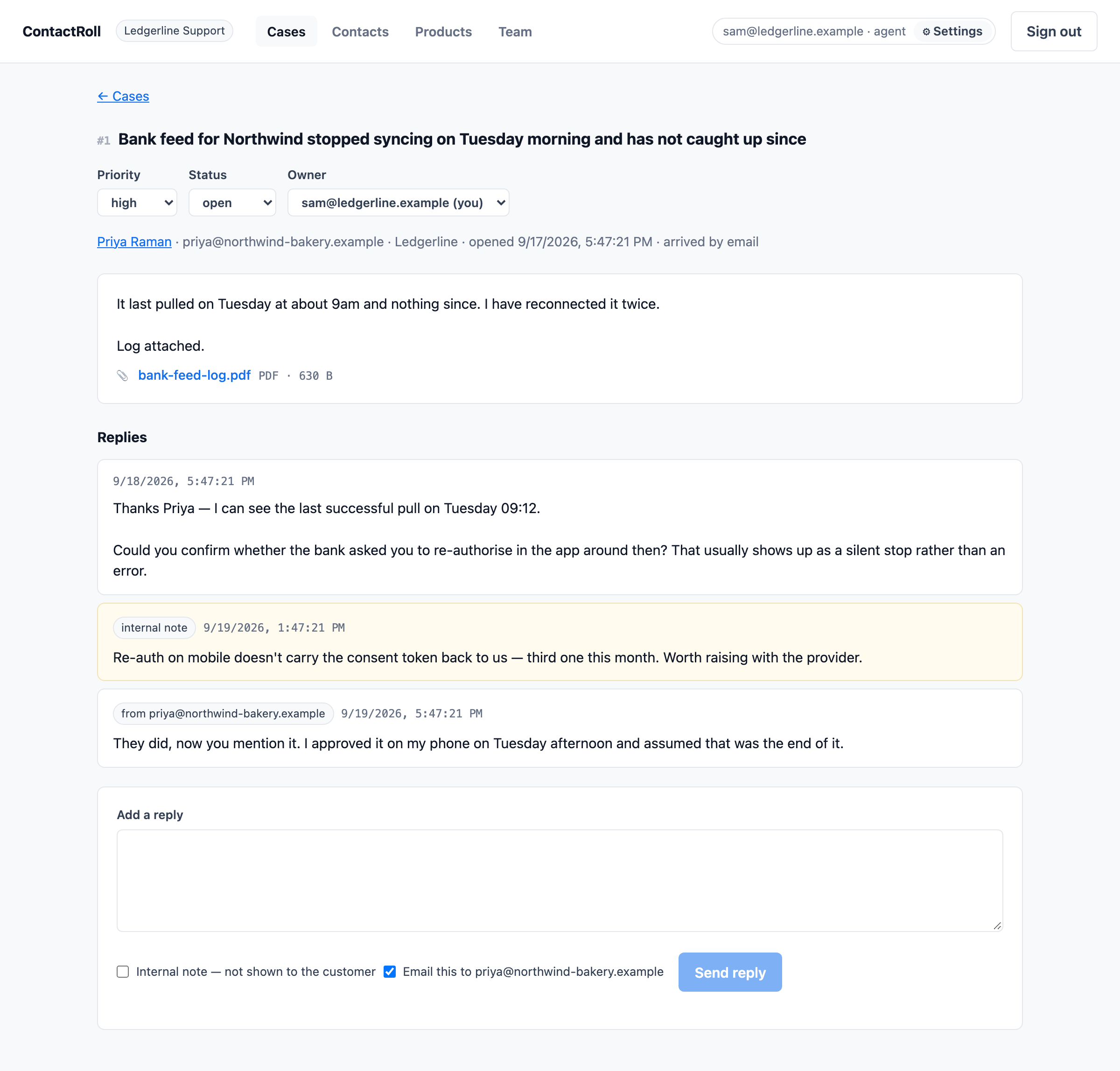
A customer writes to your support address and a case opens. Your reply goes back out from the same thread, and their answer lands on the same case rather than opening a second one. Threading carries in a plus-address tag with a marker in the subject line as a fallback, because mail clients rewrite and drop headers and a scheme with one mechanism fails silently when they do.
The queue knows who is waiting
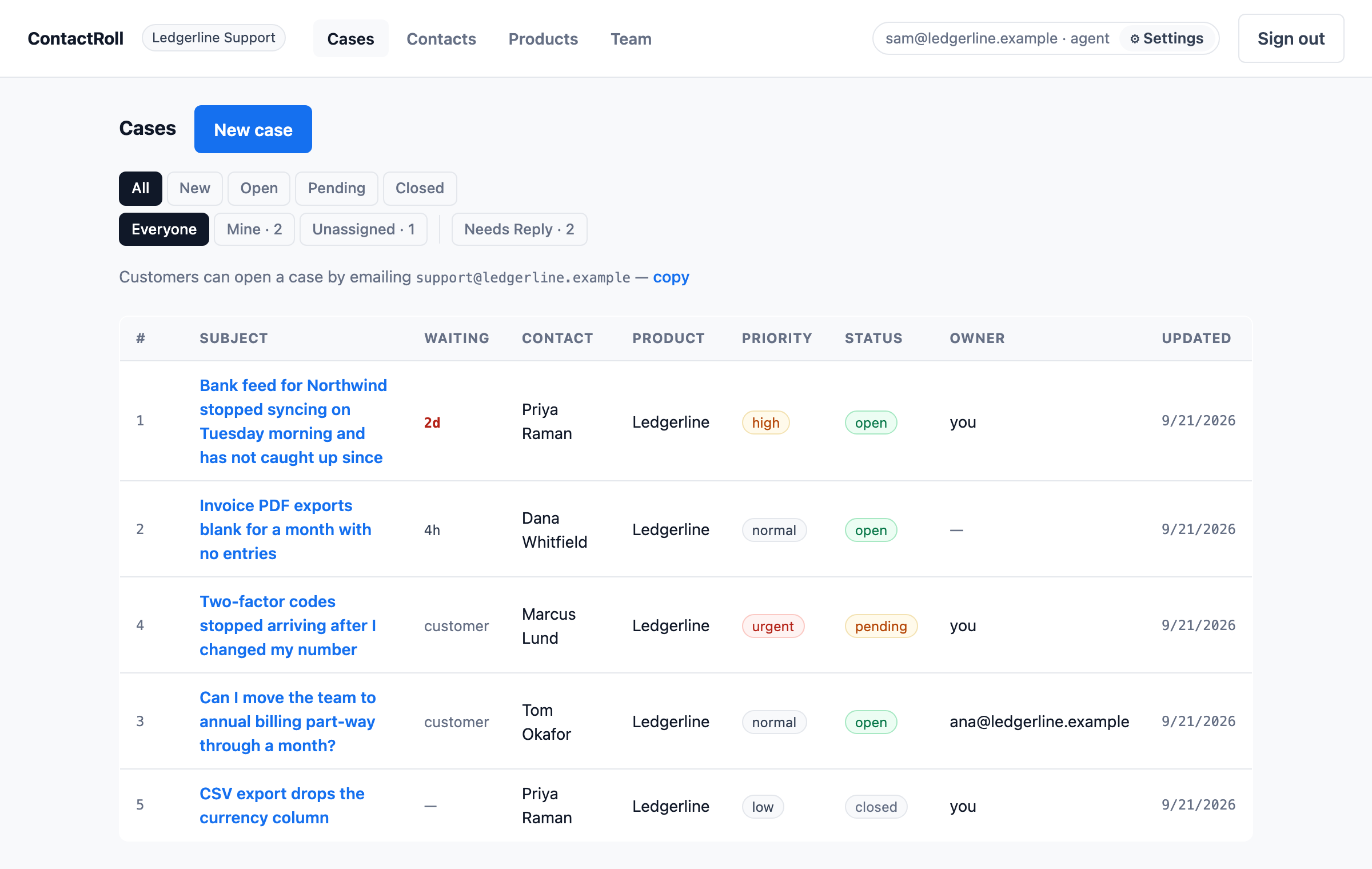
Every case is waiting on you, waiting on the customer, or finished — worked out from when each side last spoke, not from a status somebody remembered to change. What you owe someone sorts to the top, longest wait first, and a wait past a day turns red. An empty queue reads like good news instead of like an error.
Owners, not a shared inbox
A case belongs to a person. Take it in one click, filter to yours, or filter to the ones nobody has picked up — counted over open work only, because "nine unassigned" that includes last year is a number nobody can act on.
The customer, not just the ticket
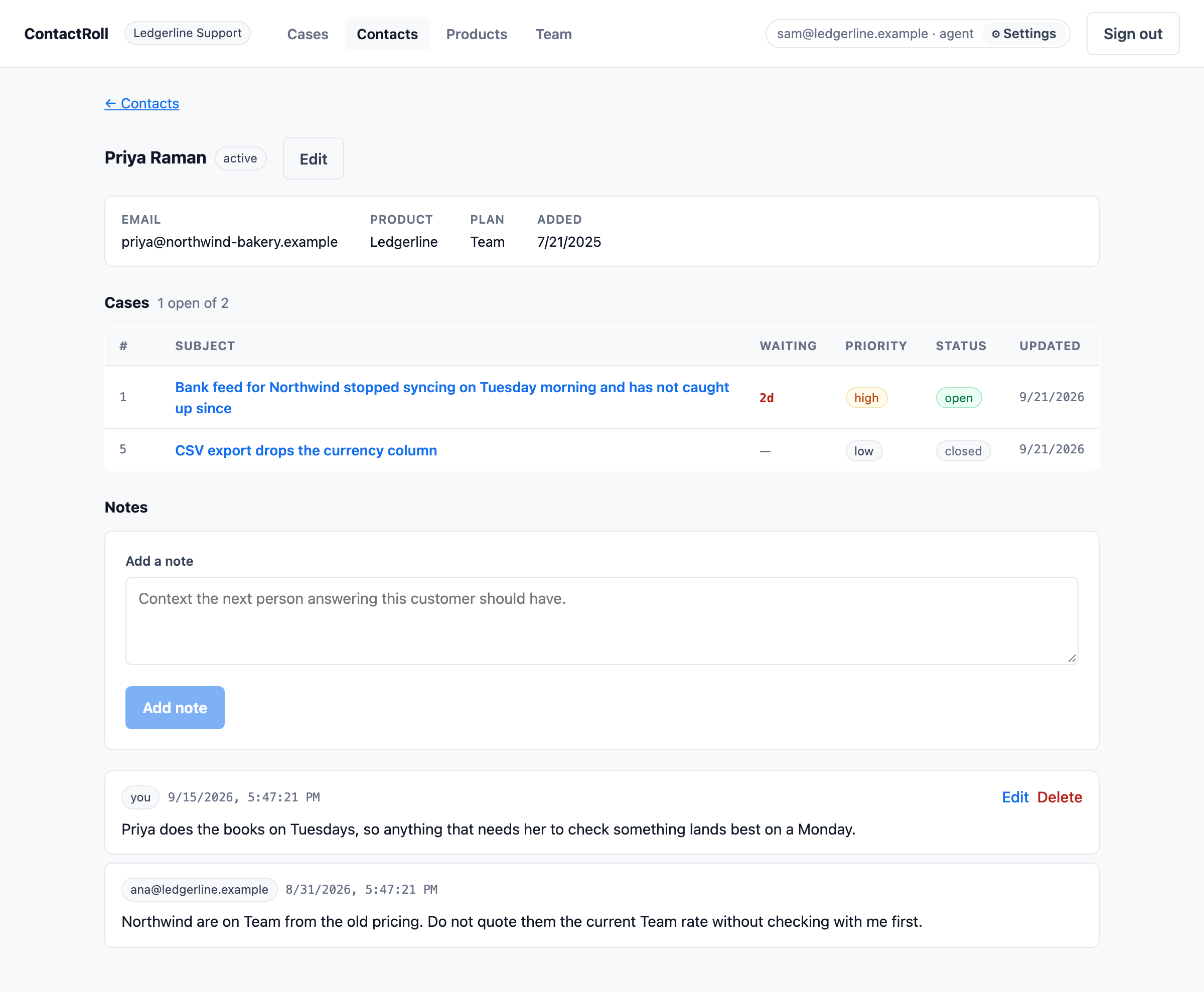
Every case that person has ever raised, on one page, with their plan and their product beside it and room for notes your colleagues leave each other. A case shows how much else of theirs is still open before you start typing.
The files they sent
Attachments are kept in private storage and handed back as a download that expires in a minute — never rendered in a browser, whatever the sender called the file or claimed it was. And if one is too big to keep, the case says so where the file would have been, because a screenshot that vanished quietly is worse than one that was refused.
It tells you when somebody writes in
A new case emails the organization; a reply emails whoever owns it. Each person decides for themselves whether to be emailed, and nobody is emailed about a message they sent.
Your team, with the seats you meant
Invite people as agents or admins. Invitations expire, work only for the address they were issued to, and tell a stranger nothing about whether that address is registered. Each organization’s data is separated in the database itself, not by a filter somebody remembered to write.
It works on the phone you triage from
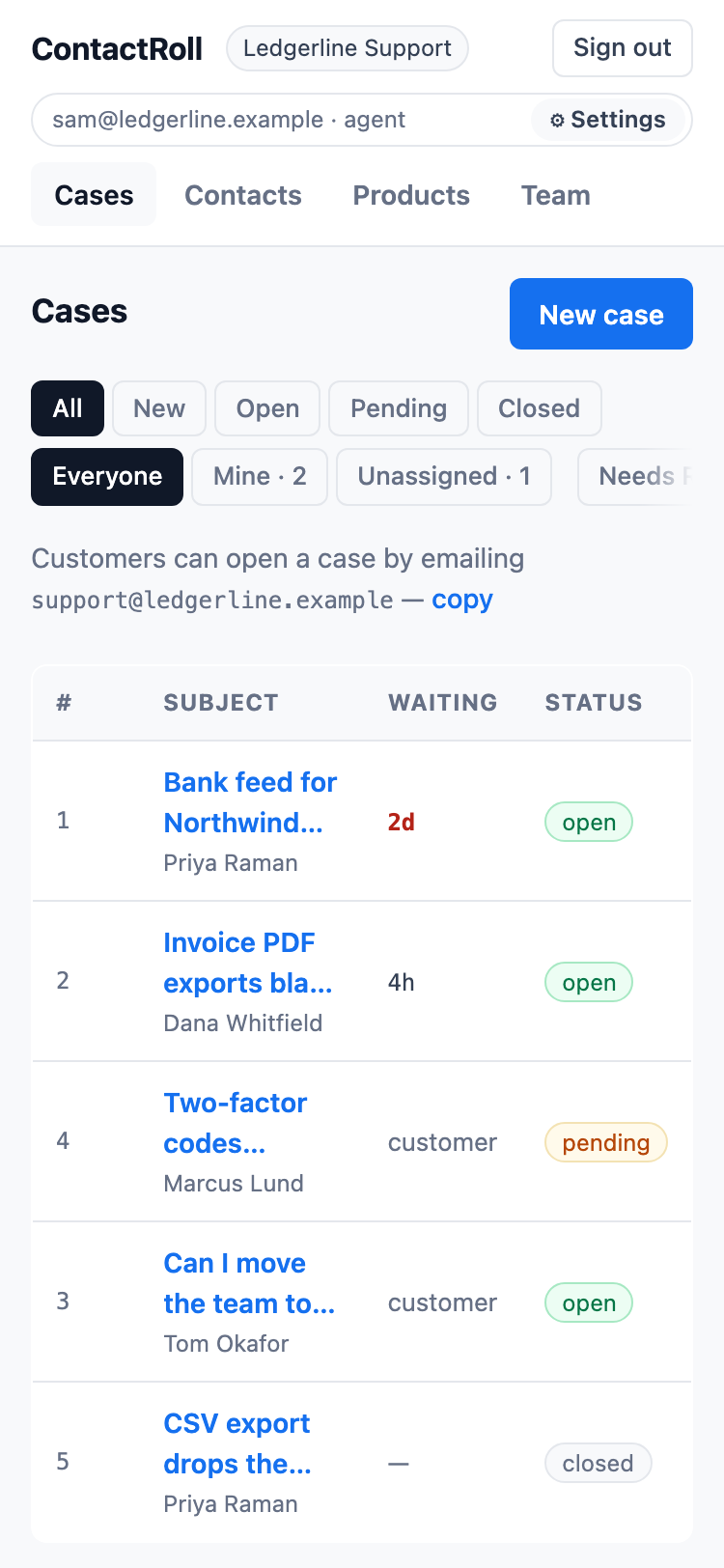
Not "responsive" as an afterthought: the queue is read at 375 pixels wide, a long subject is clamped to two lines with the customer named underneath, and every control is big enough to hit with a thumb. Checked at that width by a browser suite that drives the deployed site, rather than by somebody being asked to look.
What it looks like
On a phone
Worth knowing
- One support address per organization, generated — never your customer’s to guess.
- Tenancy enforced by the database, and tested on every change to the schema.
- Attachments in a private bucket; every link is a download with a sixty-second life.
- No tracking on this page. No analytics, no chat widget, no third-party script at all.
It is not open yet.
Write to hello@contactroll.com and you will hear when it opens.
Ask for early access