Comparison
ContactRoll vs Pipedrive for a team of five
Pipedrive sells a sales CRM in four plans. Marketing email is an add-on on every plan, and lead capture is an add-on on its two lower plans. Pipedrive does not sell a help desk or built-in calling: its own pages point to help desks and calling apps that connect to it.
What five people would buy at Pipedrive to match ContactRoll
| What the team needs | At Pipedrive | Per month |
|---|---|---|
| A CRM with contacts, companies and a deals pipeline | Pipedrive Lite, 5 seats at $14 (Lite has no email sync or automations; Growth, at $39 a seat, adds them) [1][2] | $70 |
| Marketing email to about 2,000 contacts | Campaigns by Pipedrive, an add-on on every plan, “starting from $13.33” a month; Pipedrive shows the price for 2,000 subscribers only inside its app [1][3] | From $13.33 |
| Sign-up forms | LeadBooster add-on, from $32.50 a month: its Web Forms can collect a person’s marketing status [1][5][10] | $32.50 |
| Support email as tickets and a knowledge base | Freshdesk Growth, 5 agents at $19. Pipedrive sells no help desk; its own pages name Freshdesk among the help desks that connect to it [6][7] | $95 |
| Calling with groups, a phone menu, transfer and recording | CloudTalk Essential, 5 users at $29, CloudTalk’s first plan with a phone menu. Pipedrive has no built-in calling; its help page names CloudTalk among the calling apps that connect to it [8][9] | $145 |
| Phone numbers and calls outside the US and Canada | Charged by the calling app; CloudTalk’s pricing page does not state its number prices [9] | Usage |
| Pipedrive, about | Includes Pipedrive Lite and LeadBooster, with Freshdesk and CloudTalk completing support and calling; it leaves out Campaigns, whose price for 2,000 subscribers Pipedrive no longer states outside its app (from $13.33 a month), phone numbers, calls outside the US and Canada, and taxes. | $342.50 |
| ContactRoll Plus | 5 × $59, paid yearly; Twilio bills calls to you. | $295 |
For a team of 3 people or fewer, ContactRoll Free costs nothing: 1,000 contacts, one pipeline, one support address, calling through your own Twilio account, and 500 marketing emails a month (Free’s limits).
Which one to choose
Choose Pipedrive if
- Your team only sells: Pipedrive is a focused sales CRM, from $14 a seat on Lite. [1]
- You want data import, export, an API and webhooks on the cheapest plan. [1]
- You build around a marketplace: Pipedrive lists 500+ integrations, and its own pages name the help desks and calling apps that connect to it. [1][6][8]
Choose ContactRoll if
- Support email and calls are part of the job: Pipedrive sells no help desk and has no built-in calling, so you add both.
- You want new support cases handed out by turns on every plan; Pipedrive’s automatic assignment is on Premium and Ultimate.
- You want marketing email priced in the plan, not an add-on whose price for your list Pipedrive shows only inside its app.
In ContactRoll, against Pipedrive
- A support queue in the same product as the pipeline: each customer email becomes a case on the contact the deal belongs to.
- Calls in the browser on every plan, through your own Twilio account, so no calling app sits between the CRM and the phone.
- Double opt-in sign-up forms on every plan, where Pipedrive sells Web Forms in its LeadBooster add-on.
- A forecast of the pipeline, by month and by owner, on every plan.
Roles, automation, calling and the help desk
Pipedrive’s four plans — Lite, Growth, Premium and Ultimate — from Pipedrive’s own pricing page and plan table, read on October 26, 2026, beside what ContactRoll does and which plan has it.
| Topic | Pipedrive | ContactRoll |
|---|---|---|
| Roles and permissions | Visibility options on every plan. Custom visibility groups and custom permission sets: Premium and Ultimate. [D2] | Scopes on every plan, Free included: a role can be held to its own records or its team’s. Custom roles, and View as to preview one: Plus. |
| Automation | Automations, delay and if/else steps, and sequences: Growth and up, not Lite. Automatic assignment: Premium and Ultimate. [D2] | Assignment of new cases by turns or to the least busy on every plan, where Pipedrive keeps automatic assignment for Premium; sequences on Standard; flows on Plus. |
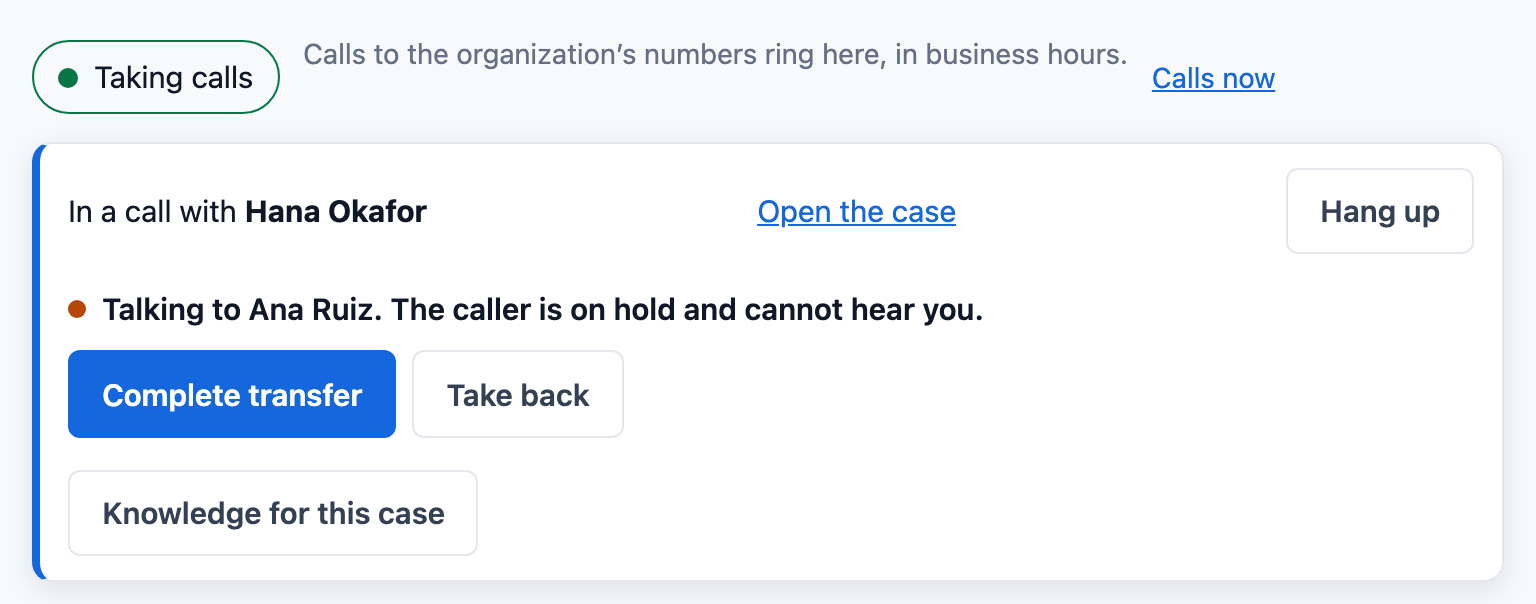
| Calling | In Pipedrive’s words, it “doesn’t have a built-in calling integration”: calls go through marketplace apps such as CloudTalk or Aircall, or a phone’s own calls. Automatic call logging is on every plan. [D3][D2] | Built in, on every plan: calls in the browser through your own Twilio account, with call groups, voicemail, recording, hold and transfer. Phone menus and warm transfer: Plus. |
| Help desk | No tickets or help desk in Pipedrive’s plans. A shared team inbox is on Premium and Ultimate. Pipedrive’s own page says teams with SLAs or many tickets “typically require a specialized help desk platform”. [D2][D1][D4] | A help desk on every plan: each email is a case in a shared queue, with reply targets by priority in business hours, macros and a help center. No shared inbox add-on needed. |
| Marketing email | Campaigns, an add-on on every plan, from $13.33 a month; the price for a given number of subscribers is shown inside Pipedrive, and buying it starts an account review. [D1][D5] | In every plan, with its price stated: consent records, double opt-in forms, a person’s approval of each email, and one-click unsubscribe. 500 contacts on Free, 2,000 on Standard, 10,000 on Plus. |
What Pipedrive puts on a higher plan or sells apart, and ContactRoll has on every plan
- A shared team inbox (Pipedrive Premium and Ultimate): in ContactRoll, support email as a queue of cases, on every plan, Free included. [D2]
- Marketing email (the Campaigns add-on, on every Pipedrive plan): in ContactRoll, marketing email with consent records and one-click unsubscribe, on every plan. [D1]
- Calling (marketplace apps, each priced by its maker): in ContactRoll, calls in the browser through your own Twilio account, on every plan. [D3]
Pipedrive Premium is $59 a seat a month, paid yearly, or $79 paid monthly; Lite is $14 and Growth $39, paid yearly. [D1] ContactRoll is free for up to 3 people; Standard is $29 and Plus $59 a user a month, paid yearly.
- [D1] Pipedrive, pricing: https://www.pipedrive.com/en/pricing, read 2026-10-26.
- [D2] Pipedrive Knowledge Base, what features do the Pipedrive plans have: https://support.pipedrive.com/en/article/what-features-do-the-pipedrive-plans-have, read 2026-10-26.
- [D3] Pipedrive Knowledge Base, how can I make calls in Pipedrive (last updated September 3, 2026): https://support.pipedrive.com/en/article/how-can-i-make-calls-in-pipedrive, read 2026-10-26.
- [D4] Pipedrive, CRM ticket system (September 22, 2026): https://www.pipedrive.com/en/crm/features/crm-ticket-system, read 2026-10-26.
- [D5] Pipedrive Knowledge Base, Campaigns subscription and billing (last updated October 19, 2026): https://support.pipedrive.com/en/article/campaigns-subscription-and-billing, read 2026-10-26.
Sources
Pipedrive’s prices change; its own pages below decide. Pipedrive is its owner’s trademark.
- Pipedrive, pricing: https://www.pipedrive.com/en/pricing, read 2026-10-26.
- Pipedrive Knowledge Base, what features do the Pipedrive plans have: https://support.pipedrive.com/en/article/what-features-do-the-pipedrive-plans-have, read 2026-10-26.
- Pipedrive Knowledge Base, Campaigns subscription and billing (last updated October 19, 2026: no price stated): https://support.pipedrive.com/en/article/campaigns-subscription-and-billing, read 2026-10-26.
- Pipedrive Knowledge Base, Campaigns add-on tiers: https://support.pipedrive.com/en/article/campaigns-add-on-tiers, read 2026-10-26.
- Pipedrive Knowledge Base, Web Forms: https://support.pipedrive.com/en/article/web-forms, read 2026-10-26.
- Pipedrive, CRM ticket system (September 22, 2026): https://www.pipedrive.com/en/crm/features/crm-ticket-system, read 2026-10-26.
- Freshworks, Freshdesk pricing: https://www.freshworks.com/freshdesk/pricing/, read 2026-10-26.
- Pipedrive Knowledge Base, how can I make calls in Pipedrive: https://support.pipedrive.com/en/article/how-can-i-make-calls-in-pipedrive, read 2026-10-26.
- CloudTalk, pricing: https://www.cloudtalk.io/pricing/, read 2026-10-26.
- Pipedrive, lead generation software (LeadBooster): https://www.pipedrive.com/en/features/lead-generation-software, read 2026-10-26.
- Pipedrive Support, exporting data from Pipedrive: https://support.pipedrive.com/en/article/exporting-data-from-pipedrive, read 2026-10-14.
Questions
What do I give up by leaving Pipedrive?
Pipedrive’s 500+ integrations and its AI features, such as call summaries from its meeting tools. ContactRoll has no marketplace: it connects to your own app through its API and webhooks on Plus.
How do I get my data out of Pipedrive?
Export leads, deals, organizations, people, products, activities and notes as an XLSX or CSV file; you need export permission, and you export what you can see. ContactRoll’s import reads Pipedrive’s people export as it comes, organizations and phone numbers included. Deals are not imported.
We use Pipedrive with Freshdesk and CloudTalk. What happens to those?
In ContactRoll the help desk and calling are part of the product, so the three accounts become one. Calls then go through your own Twilio account instead of CloudTalk.