Features
Everything ContactRoll does
Every feature that is in ContactRoll today, by area, in one sentence each. Each links to the page or help article that explains it. Features marked Plus come with the Plus plan, and those marked Standard and Plus with either paid plan; everything else is on every plan, Free included, within Free’s limits. Features that are built and not yet available are listed apart, under Coming. For the whole list in one line each, see what’s included.
At a glance
The parts people ask about by name. Each links to its line below; a part marked Coming is built and not yet available.
- Custom objects: Your own record types, Record types in the API
- Related records: A contact at several companies, Lookup, calculated and roll-up fields
- Custom fields: Custom fields
- Field-level permissions: Field-level permissions
- Custom roles: Roles of your own, View as a role
- Report builder: Report builder, Reports across linked records, Pipeline history
- Dashboards: Dashboards
- Goals: Goals
- Reports by email: Reports by email
- Forecast: Forecast, Pipeline analytics
- Saved views: Saved queue views, Saved views on every list
- API: API, Upsert by your own id, Bulk import and export, Calls over the API
- Webhooks: Webhooks, Webhooks for calls
- Merge duplicates: Merge duplicates
- Help importing: Import from a file, Import from other CRMs, Duplicates flagged on import
- Bulk actions: Bulk actions
- Audit log: The audit log
- Lead scoring: Lead scoring
- Two-factor sign-in: Two-factor sign-in
- Products and quotes: Products, price books and quotes
- Territories and quotas: Sales teams, Territories, Quotas and forecast categories
- Approvals and commissions: Approvals, Commissions
- Projects: Projects for customer work
- Documents: Documents and templates, Search inside documents
- Currencies: Currencies and exchange rates
- Sandbox: A sandbox organization
- Industry starter packs: Industry starter packs
- On your phone: Install on your phone, Quick create and offline reading
- Coming: QuickBooks Online, Microsoft 365 and Outlook, AI assistant, Zapier, Phone notifications, TypeScript and Python SDKs
Your own kinds of data, and what ContactRoll connects to
Two questions we are asked by name, answered with what is in ContactRoll today.
Custom objects and related records
Yes, ContactRoll has custom objects. On Plus you make up to 5 record types of your own, such as properties, vehicles or bank feeds, each with up to 50 fields and 100,000 records, linked to contacts, companies, deals and cases with a role on each link. On every plan:
- a contact can belong to several companies, with their role at each;
- lookup fields link one record to another, calculated fields work out a number, and roll-ups total or count what is linked;
- reports count one record type through another, such as cases by the stage of their deal.
Custom objects in ContactRoll · Lookup, calculated and roll-up fields · Reports across records
Integrations
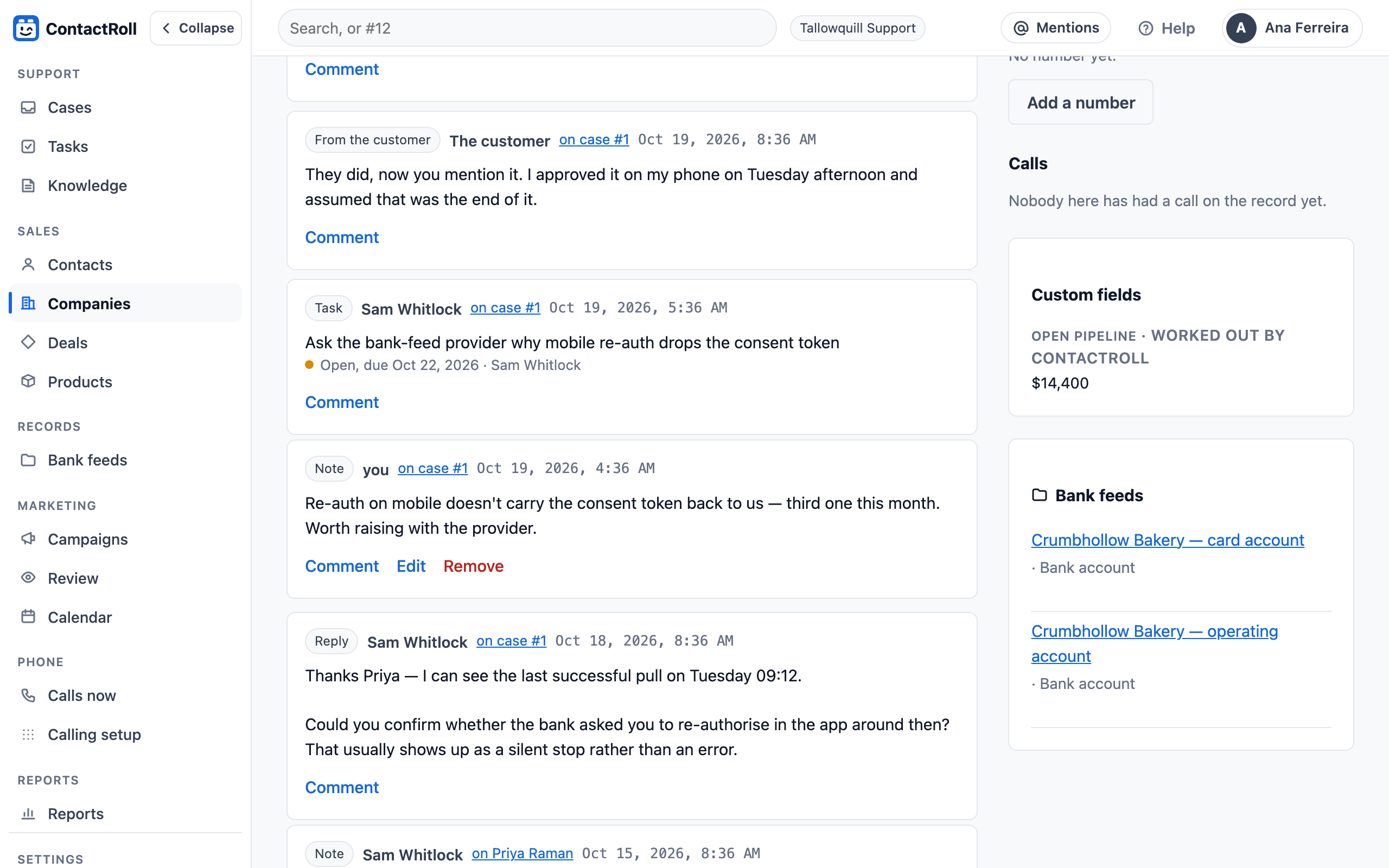
ContactRoll has no app marketplace, and it does not try to look like it has one. It connects itself to Twilio for calls, Google for support email and YouTube, Stripe for paying, GitHub for bug reports, and Bluesky, Mastodon and X for posts, and to anything else through its API and signed webhooks on Plus, with bulk imports of up to 100,000 contacts in one request and exports of every record.
Coming, with no date: QuickBooks Online, Microsoft 365 and Outlook, and a Zapier app.
Every integration, and what is coming · The bulk API and webhooks
For your trade
An industry template sets these features up for the work you do, and each page says which features that trade uses, with a practical guide: every template.
3PL and warehousing · Agencies · Automotive · Churches and faith organizations · Construction · Education and training · Events and hospitality · Financial advisors · Fitness and wellness · Home services · Insurance agencies · IT services and MSPs · Law firms · Manufacturing and distribution · Nonprofits · Professional services · Property management · Real estate · Recruiting and staffing · Restaurants and catering · Salons and spas · Software companies · Solar and home energy
Take the tour
Ten steps through the real app, with nothing to sign up for: a customer’s email, the reply, a deal and a call. Take the tour on the home page.
Try the live demo The real app, with a sample team in it: read-only, and nothing to sign up for.
Sales
Contacts, companies, deals and the forecast. Sales in ContactRoll.
- ContactsKeep every person your team works with, added by hand, by import or when they first email support.
- CompaniesGroup people by the company they work for and see all their cases and deals on one page.
- Phone numbersContacts and companies hold several labeled numbers, shown the way their country writes them and found by search.
- Deals and pipelineWork deals across your pipeline's stages on a board at a desk or a list on a phone.
- Stage bar and guidanceEach deal shows its stages as a bar, with your team's guidance for the stage it is in and one button to move on.
- Deal historyEvery change to a deal's stage, amount and owner is kept in a history nobody can rewrite.
- Exact moneyDeal amounts are kept to the cent in your organization's currency, never rounded.
- Deals linked to casesLink support cases to a deal so sales sees what a customer has been asking.
- TasksAdd tasks to a case, contact, company or deal and see yours as overdue, today, this week and later.
- Daily task emailOne email a day lists each person's due and overdue tasks, in the team's time zone.
- Log a callRecord a call made on another phone, with its outcome and internal notes, and add a callback task in one press.
- Your app's usersYour own app can tell ContactRoll a person's plan, status and last sign-in, shown beside their cases.
- Events from your appSend events such as a trial started or a feature used from your server, to start sequences and build segments.
- Lifecycle stagesEach person and company is marked trial, activated, at risk or churned from what your app and billing report.
- Import from a fileImport contacts from a CSV file, with a choice for people already here and the rows that failed handed back.
- Import from other CRMsFiles exported from HubSpot, Pipedrive, Salesforce and Zoho are read with their own column names.
- Where a contact came fromEvery contact records how it arrived: by hand, an import, a sign-up form, an email or your app.
- Do not callMark a contact Do not call, and their numbers show as plain numbers that ContactRoll's phone places no call to.
- Merge duplicatesFind likely duplicate contacts and companies, choose field by field what to keep, and merge them with a record of it.
- Task types and Due todayGive tasks a type such as a call or an email, and see everything due today in one list.
- Weighted pipeline listThe pipeline's list shows each stage's total and weighted value, per currency.
- No-activity warningFlag deals with no activity in a number of days you set for each pipeline.
- Custom fieldsAdd fields of your own, in eleven types, to contacts, companies, deals and cases; use them in lists, segments and flows.
- ForecastSee weighted, best-case and won amounts per month and owner, with deals past their expected close flagged.
- Lead scoringStandard and PlusGive each person a number from who they are and what they did lately, then sort by it, segment on it or start a flow when it crosses a line.
- Your own ContactRoll addressCopy your own ContactRoll address on an email you send, and it’s saved on the timeline of each existing contact it went to.
- Events about an accountStandard and PlusName the company in an event from your app, and ContactRoll finds or makes it and links the person to it.
- Pricing rules and product optionsVolume tiers, bundles, a discount limit per product, and options with rules about what goes together, priced on every quote.
- Sales orders and invoicesTurn an accepted quote into a sales order, then an invoice with its tax, payments, credit notes and a reminder when it is overdue.
- Purchase orders and vendorsKeep your vendors, send them purchase orders, and record what arrives, line by line.
- A contact at several companiesLink one contact to several companies, with the role the person has at each.
- Duplicates flagged on importAn import flags rows that match a contact already here, to skip, update or merge, and suggests a company from the email's domain.
- Lookup, calculated and roll-up fieldsCustom fields that point to another record, work out a number from the record's own fields, or total a company's open deals.
- Your own record typesPlusUp to five record types of your own, like properties or vehicles, each with its own fields and linked to contacts, companies, deals and cases.
- TrashDeleted contacts, companies, deals and cases wait 30 days in Trash, and come back with every link when restored.
- Roles on a dealEach person on a deal carries a role, such as Decision maker or Billing, and a contact keeps the companies they worked at, with dates.
- Changes to its detailsEvery change to a contact’s, company’s, deal’s or case’s details is kept, with who made it and what it was before.
- Record pagesContact, company and deal pages hold key facts, linked records and one box for a note, an email, a call, a task or a meeting.
- Company healthEach company gets a score from 0 to 100 each night from open cases, satisfaction, last contact, overdue tasks and bounces, with why.
- Onboarding projectsWhen a deal is won, an onboarding project starts for its company from your template, with tasks in stages and a checklist.
- Meeting notesWrite up a meeting on its contact, company or deal, with who was there and the actions, and find it again on the record and in search.
- Customers and renewalsMark a company as a customer with its contract, renewal date and success owner, and be told once before each renewal comes due.
- Churn reasonsWhen a customer leaves, record why from a list your organization keeps, and see the customers who churned this month on the Business overview.
- Sales teamsGive each sales team a manager and its own pipelines; a manager sees their team’s deals and never another team’s.
- TerritoriesSend new companies and deals to the right owner by rules on country, state, industry or size, in turn among a territory’s members.
- Quotas and forecast categoriesSee each member’s and team’s quota against what is won, and sort open deals into commit, best case and pipeline.
- Lost reasonsChoose why a deal was lost from your organization’s own list, and report on the reasons.
- Relationships between recordsPlusRelate contacts, companies, deals, cases and your own record types, with parent and child companies and what deleting a record does to its links.
- Products, price books and quotesKeep a catalog with price books, add line items to a deal, and send a quote your customer can accept online.
- Documents and templatesKeep documents with their versions on a record, be reminded before one expires, and make a PDF or Word document from a template.
- Projects for customer workRun work for a customer as a project on its company or deal, with milestones, tasks that wait on each other, and templates to start from.
- Recurring revenueKeep each customer's subscriptions, by hand or read from your Stripe, and see monthly and annual recurring revenue and how it moved each month.
- Product usageSee which features each customer uses from the events your app sends, when they first got value, and whose use dropped.
- ApprovalsOne Approvals page for the deal changes your rules hold, a quote's discount past its limit and a flow's question, with a delegate while you're away.
- CommissionsCommission plans by role or member, with rates by pipeline or product and quota tiers, and each member's statement, for reporting.
- Large imports in the backgroundImport a CSV file of up to 100,000 contacts in the background, with a trial run first and each part undoable for seven days.
- Currencies and exchange ratesDeals, quotes, products and subscriptions in other currencies keep the day's rate, and reports total them in your home currency.
- Time and billable workLog time on cases, deals and projects with a timer or by hand, bill it at your rates, approve weekly timesheets and watch each client's retainer.
- Memberships and classesSell membership plans that renew, book people into classes and check members in, each switched on by your organization.
- Donations and tax receiptsRecord gifts, recurring gifts and appeals, and give each donor a tax receipt and a year-end statement.
- Grant trackingFollow grant applications from draft to award, with their funders, amounts and the reports each award owes.
- Lead conversion and team sellingConvert a lead into a contact, company and deal at once, split a deal's credit across its team and record who you lost to.
- Sales macros and prospect alertsRun several steps on a record in one press, hear when a prospect engages, and see when your emails are opened.
- Stage gates and record locksAsk for what a deal needs before it reaches a stage, and lock won deals so nobody changes them.
- Approvals in levelsSend a deal change through levels of approvers, each answering in turn from one Approvals inbox.
- Guided forms and kiosksMake records through a form of steps, and run a kiosk on a shared screen for visitors to sign in.
- Rooms, chairs and equipmentKeep rooms, chairs, bays, vehicles and equipment as resources with their own hours, capacity and turnaround time, and reserve them for a job.
- What a lead is looking forSave the home or vehicle a lead wants, and hear when a matching one arrives, with an email to the lead if you choose.
- Job costing and change ordersPrice estimate lines at cost plus markup, add the change orders a customer accepts, and track labor, materials and subcontractors against a job’s budget.
- Key dates, conflict checks and householdsCourt dates and renewals with reminders that escalate, a conflict check across every record, and households with their coverage.
- Courses, events, volunteer shifts and groupsPrograms with enrollment, waiting lists, ticket types, attendance, certificates of completion and a run of show.
- Donor retentionSee who gave last year but not this year, and who lapsed before that, with your retention rate.
- Members at risk and intro offersMembers who stopped coming, by plain rules, attendance in each company’s health score, and how many intro offers become members.
- Trial playbook and save deskTasks when a trial goes quiet or a customer’s seats are nearly full, and a save desk for every request to cancel.
- Samples, reorders and reps by territoryFollow samples to orders, start a reorder from a customer’s last order, and give each rep their territory.
- Carriers and loadsKeep carriers with their insurance and authority on file, refuse a load to one whose papers expired, and see each load’s lane, rate, pay and margin.
- Warehouse capacityKeep each building’s pallet positions, square feet and dock doors, see the space sold and free, and see which buildings a new client fits before you quote.
- 3PL rate cardsPrice each client by a rate card in versions, with storage by the pallet, bin or cubic foot, a monthly minimum, and yearly increases with their notice letter.
- Certifications and RFP answersKeep each building’s certifications with their expiry, attach them to proposals, and keep your RFP answers in Knowledge citing them.
- Import any WMS fileMap each client’s WMS export once, preview every import with row-by-row errors, and run a file again without charging any row twice.
- 3PL billing reconciliationCheck each client’s month of WMS activity against its invoices, with late charges and the minimum-charge top-up said before an invoice goes out.
- Bills of lading and labelsPrint a VICS-style bill of lading, a packing slip and 4x6 pallet and carton labels with barcodes from any shipment, in your own words.
- The switching kitBring a warehouse customer’s clients, contacts, buildings, rates, contracts, claims and invoices in from files, matched and never doubled, and undo an import.
- 3PL client profitabilitySee each warehouse client’s monthly revenue by charge type against its space and labour, with its margin, its trend and who is below minimum.
- A guided 3PL setupA warehouse organization’s first five steps in order, each ticked from its own records, with a sample WMS file and the 3PL demo one press away.
Support
Support email as a queue, articles and a help center. Support in ContactRoll.
- The case queueEvery email to your support address opens a case in one shared queue, with its number, status, priority and owner.
- Waiting onEach case says whose move it is — us, with how long the customer has waited, them, or a fix.
- Your own support addressEach organization gets its own support address; forward the one your customers know and replies go out under your name.
- Replies stay on the caseA customer's reply joins its case even when their email program drops the usual headers.
- Attached filesFiles a customer attaches are kept privately on the case, and a file that could not be kept says why where it would be.
- Status bar on a caseNew, Open, Pending and Closed sit across the top of every case, each explained in a press and set in one more.
- Send and set statusOne press sends a reply and closes the case, sets it pending or sets it open.
- Snooze a casePut a case aside until later today, tomorrow, next week or a time you pick; it comes back early if the customer replies.
- New-case emailsMembers who switch it on get an email when a customer writes in, each sent to them alone.
- Response-time targetsSet a first-reply and next-reply target per product, counted in your business hours, with a countdown chip on every case.
- Business hoursYour team's week and time zone decide when targets count, when snoozes wake and when callers are answered.
- Saved repliesA shared library of replies with placeholders for the customer's first name, your name and the case number.
- Bugs linked to GitHubReport a bug from a case to your product's GitHub repository, link more cases to it, and hear when the fix ships.
- Customer details kept outA bug report is refused if it carries the customer's address, full name, company name or a run of their words.
- Knowledge articlesWrite how-tos, known problems, policies and what-to-say articles, each save a version that is never rewritten.
- Articles on a caseThe Knowledge panel on a case suggests articles and drops one into your reply in a press.
- Known issuesA known-problem article lists the cases it answers and is offered first when a matching case arrives.
- Internal articles stay internalAn article marked internal is never sent to a customer, and a reply that quotes one is refused.
- Flag it or fix itAnyone can mark an article wrong or out of date; its owner gets a task and it shows flagged until cleared.
- Article from a caseTurn a solved case into a draft article, with the customer's details checked out first.
- Articles reviewed on a scheduleEach article has an owner and a review date, and its owner gets a task when it falls due.
- Knowledge measuresSee which articles are used on cases and which searches found nothing.
- Public help centerPublish your articles on a help center page for each product, with your brand kit's colors and logo.
- Ask a question formThe help center's question form suggests articles as the visitor types and opens a case that says where it came from.
- Help widgetPut a help button on your own site that searches your published articles.
- Pictures in articlesPublic articles show the pictures you added from your own media library.
- Several support addressesEach support address can have its own response-time target, kept by every case written to it.
- Forwarding confirmationsWhen Gmail or another provider asks to confirm forwarding, ContactRoll shows a Confirm button instead of opening a case.
- Links you can trustWeb and email addresses in a customer's message become links that say exactly where they go.
- Targets by priorityGive urgent and high-priority cases their own reply targets, counted from when the wait began.
- Satisfaction surveyWhen a case closes, the customer is asked one question from 1 to 5, and the score shows on the case and in reports.
- Was this helpful?Every public article asks whether it helped, and the least helpful ones show in your Knowledge measures.
- MacrosOne click puts a reply in the box and sets status, priority and owner, or adds a note; you still press Send.
- Saved queue viewsSave the queue's filters and sort as a view of your own or one the whole team shares.
- Someone else is replyingThe case page warns you when a colleague is already writing a reply.
- Automatic assignmentNew cases go round-robin or to the least busy member, skipping anyone away or outside their hours.
- Ask and hand offAsk a colleague a question on a case, or hand it to them or a team's queue with a note of what they need to know.
- Active and AwaySee who is active or away on the queue, in chat and on call groups; nothing new is assigned, routed or rung to anyone away.
- A team's own hoursA team can keep its own business hours beside the organization's, and its members follow them.
- Cover while you're awayName a colleague to cover while you're away: new work for you goes to them, and they see your open cases, tasks and deals.
- The case workspaceA case opens beside its queue, with one history, the reply box always in reach, and the customer's plan, deals and calls at its side.
- Why an email didn't arriveA bounced or refused email says what happened, when and what to do next, on the email, the contact's timeline and the case.
- One conversation per customerSee every email, call and note with a customer on one page, with a shared Conversations queue your team can switch on.
- DepartmentsGive each team its own holidays, response-time targets by channel, and a manager who gets a task when a case misses its target.
- Skills and workload limitsGive cases the skill they need and members the skills they hold; assignment skips members at their limit of open cases.
- Answers before a caseYour help center suggests your own articles as a customer types, with words that mean the same, and counts questions answered without a case.
- Inventory and equipmentKeep stock of your catalog's items in each place with reorder reminders, and your customers' equipment with serial numbers, warranties and service history.
- Field serviceSend technicians to jobs from a dispatch board; they work each one on their phone with checklists, photos, parts and the customer's signature.
- Automatic repliesSend the customer a reply when a case opens, chosen by support address and hours, at most once a case.
- Service agreementsPlans on a company that make each visit on schedule as a work order, a case or a task, tell you before they end, and draft their invoices.
- Review requestsAsk customers for a rating after a job, a visit or a case, offer every one of them your review links, and follow up a low score.
- Customer remindersEmail a customer a short reminder before a date marked for them, such as rent due or a service, without billing or collecting anything.
- Private prayer and care requestsRequests read only by whoever wrote them and the roles you name, kept as they were written.
- Monthly service reportsEmail each client last month’s tickets, response times, hours, visits and devices on the day you choose, by itself.
- Warehouse client operationsService levels for each 3PL client, daily measures and activity charges imported from your WMS, charges turned into invoices, and a monthly business review.
- Dock scheduling and claimsBook trucks on your docks and doors, time each from arrival to done, and keep damage and shortage claims with their value.
- 3PL client onboarding kitTrack each client’s go-live, keep their procedures in versions with each sign-off, and show special handling on the client and its cases.
- Inventory and order snapshotsImport each client’s stock and orders from your WMS as a read-only snapshot, answer where is my order from it, and tell the account manager about low stock.
- Quality incidents and scorecardsRecord mis-picks, damage and late shipments with their root cause and corrective action, and send each client a monthly service scorecard as a PDF.
- Receiving discrepanciesKeep what was expected against what was received for each inbound, with photos, and report and resolve each shortage, overage or damage.
- The warehouse floor on a phoneCheck trucks in and out, receive against the ASN by scanning or typing, and record damage with photos, on a phone that keeps working with no signal.
Calling
Calls in the browser through your own Twilio account. Calling in ContactRoll.
- Your own TwilioConnect your own Twilio account; Twilio bills you directly and ContactRoll adds nothing to the minutes.
- Call from your browserPlace calls from a contact, company or case in your browser, with mute, hang up and the reason a call failed.
- Calls on the recordEach call lands on the person's timeline with its length and outcome, and your notes stay internal.
- A cap on minutesSet the month's calling minutes and see what they cost at Twilio's published prices before you call.
- Inbound calls open casesEvery call to your number opens a case, answered or not, and finds the caller by their number.
- Taking callsMembers switch Taking calls on to ring in their browser, and are only rung once their line is ready.
- VoicemailA missed call goes to voicemail, and the message is kept on the caller's case.
- Callers without an emailAn unknown number becomes a caller you can later give an address or fold into a contact; callers are never emailed.
- Call recordingSwitch recording on and every recorded call is announced first; the audio stays in your own Twilio account.
- Listen to recordingsPlay a recording on the call's row at 1x, 1.5x or 2x, with every listen recorded.
- How long recordings are keptKeep recordings forever, or delete them at Twilio after 30, 90 or 180 days or a year; administrators can delete one any time.
- Call groupsA number rings a group of members together or one at a time, skipping anyone already on a call.
- Callers wait in lineWhen everyone is busy, callers wait in the group's line with music until someone answers.
- Calls nowOne page shows every call ringing, waiting and in progress right now.
- What each number doesGive each number its hours, greeting, group to ring and closed message, start from a template, and undo in one press.
- Call it yourselfPreview each step a caller will hear before switching a number's setup on.
- HoldPut a caller on hold with music and take them back when you are ready.
- TransferTransfer a call to a member or a call group, with its case and recording carried across.
- The voice callers hearChoose the voice that reads your greeting and messages to callers.
- Warm transferPlusTalk to a colleague first while the caller waits, then complete the transfer or take the call back.
- Ring the owner firstPlusRing the caller's own account owner alone for a few seconds before the rest of the group.
- Hold musicCallers on hold hear gentle tones or one of three Bach recordings that are free for anyone to use.
- Twilio's signature checkedOptionally give your Twilio Auth Token so every call request is checked as Twilio's own; it is used for nothing else.
- Call transcriptsStandard and PlusSwitch transcripts on and recorded calls are written out speaker by speaker by your own Twilio, and found by search.
- Phone setup guideSet up calling in seven steps, buy a US local number from your own Twilio account at Twilio’s price, and make a test call to see it works.
- Webhooks for callsPlusYour server is told when a call is recorded or a caller leaves a voicemail.
- Calls over the APIPlusRead your calls over the API, to keep them in another system.
- Log calls from any phone systemPlusAnother phone system logs each call onto the contact who has the number, through the API, with a link to its recording.
- Call backsA customer or a teammate asks for a call back in a time window; its owner gets a call task, and a missed window goes to their manager.
- Listen, whisper and bargeA supervisor can listen to a live call, speak to their colleague alone, or join the call, and the colleague is told.
Marketing
Campaigns, sequences, sign-up forms and social posts. Marketing in ContactRoll.
- CampaignsPlan a campaign from a goal and one message, with each email, post or video in it as a piece of its own.
- Approve every pieceA person approves the exact version that goes out, and an approved, scheduled piece sends itself at its time.
- Marketing calendarEvery planned piece on one calendar, with a warning and a fix when two clash or one is due unapproved.
- Claim checkPoints out any number, quote or comparison in your words that your product's facts do not back up.
- Pre-flight checkEach piece is scored against its brief before it is submitted, with what to fix listed.
- Brand kitKeep your colors, fonts, logo, tagline and product facts in one place for every piece and your help center.
- Media libraryKeep your own pictures and recordings for each product and campaign, checked for what they really are.
- Consent on recordMarketing email goes only to people with a consent record saying what they did, when, and the evidence.
- Unsubscribes that stickSomeone who unsubscribes stays unsubscribed, even if they are deleted and imported again.
- One-click unsubscribeEvery marketing email carries a one-click unsubscribe that mail programs can press for the reader.
- Your own sending domainMarketing email is sent from your own verified domain, with its SPF, DKIM and DMARC each checked and shown.
- Automatic pauseSending pauses itself if complaints or bounces climb, and every administrator is told.
- Domain warm-upA new sending domain is held to a rising daily limit for its first four weeks.
- TemplatesStart an email from a template that is copied, not linked, so editing one never changes another.
- Fill-in fieldsFields like a first name are filled in from the contact as each email is sent, with a preview for any person.
- SegmentsBuild audiences from rules on your contacts, companies and their activity, checked again at the moment of sending.
- SequencesStandard and PlusA series of emails that starts when a person does something and moves on day by day in your team's time zone.
- Sequence goals and stagesStandard and PlusA sequence can start on a lifecycle stage and end as soon as its goal is reached.
- Sign-up formsA hosted page or HTML snippet with double opt-in, keeping the form's wording, the page and both times as evidence.
- Preference centerEach person chooses the topics they hear about and how often.
- Weekly cap and quiet hoursCap how many marketing emails a person gets each week, and hold sends during their night.
- Replies become casesA reply to a marketing email opens a support case naming the email it answered.
- Survey question in an emailAdd one NPS or 1-to-5 question to an email; each person's answer is kept on their contact.
- Click tracking you controlLinks are tracked with UTM tags, tracking can be switched off, and a person can have their clicks forgotten.
- Campaign resultsEach campaign reports its clicks, sign-ups and trials, and YouTube's views for its videos.
- A/B testsStandard and PlusTest two subject lines; the winner is called by a written rule and sent to the rest, or it says no difference was found.
- Suggested send timeSuggests an hour to send from your own clicks once there are enough, and says where its number comes from.
- Videos to YouTubeAn approved video goes to your connected YouTube channel, marked as made with synthetic media where it is.
- Video storyboardsPlusPlan a video scene by scene, with its words timed for speech, before anything is paid for.
- HeyGen videosPlusOn your own HeyGen account, make a presenter video or a produced one, planned first and approved by a person.
- Reference libraryPlusKeep public videos and pages you admire, with why each is kept, to plan your own from.
- Words criticFlags a hook too long, too many hashtags or a number no fact supports before a person approves.
Automation and reports
Flows, reports, dashboards and goals.
- Automation flowsPlusWhen something happens, if it matches, then act — reply, assign, tag, add a task or start a sequence.
- Test before switching onPlusEach flow is tested on your real records before it can be switched on, and says what it would have done.
- Starter flowsPlusReady-made flows for urgent cases, missed reply targets, reopened cases and quiet customers, each off until you choose.
- Flow safeguardsPlusA flow acts once for each event, is held to a daily and an hourly limit, and pauses itself with the administrators told.
- ReportsSales, Support, Calling and Marketing reports for any dates up to a year apart, for everyone, a team or one member.
- Reports as CSVDownload any report as a CSV file that opens safely in a spreadsheet.
- Missed targetsThe Support report lists the cases that missed their reply targets, worst first.
- Report builderBuild your own report on seven record types, save it, and share it with your team.
- DashboardsArrange report cards on dashboards, starting from Sales, Support and Calling dashboards made for you.
- Reports by emailEmail a saved report weekly or monthly, each person seeing only the records they can reach.
- GoalsSet monthly or quarterly goals for a member, a team or everyone, and see progress above the queue and on dashboards.
- Pipeline analyticsReport the stage-to-stage conversion, the average days in each stage, the win rate and the deal velocity of a pipeline.
- Reports across linked recordsReport on records through what they are linked to, such as cases counted by the owner of their deal.
- Pipeline historyEach night the open pipeline is kept, so a report shows it as of any day, or month on month.
- Flow healthPlusSee every flow’s failures and why; a flow that keeps failing emails its owner and pauses itself.
- Compare with an earlier periodCompare a report with the period before or the same period last year, row by row, in its CSV and its emailed copy too.
- What a flow didPlusEach flow run keeps what started it, what each condition checked and each step it took, and a failed run can be tried again from its step.
- Business overviewA ready-made dashboard of sales, the pipeline, customers, support, calls, campaigns and each person's work, compared with the period before.
- What's behind a numberPress any number, row or bar on a report or a dashboard to see the records it counts, each one a link to its page.
- Reports as Excel or PDFDownload any report as CSV, Excel or PDF, and send a scheduled report with its PDF or Excel file attached.
- Branches, waits and decisionsPlusFlows can group conditions, wait for a date or a change, ask a person to decide, and take a different path if nobody answers.
- Flows on a schedulePlusRun a flow daily, weekly or monthly for the records that match, and put a flow back to an earlier version.
- Flow pacePlusYour plan’s hourly budget of flow actions is shown on each flow, with how long the runs waiting will take.
- Flows that recoverPlusA flow run that fails tries again by itself, can be canceled, and is listed with a replay if it keeps failing; each flow has a longest run.
- Lanes and loops in flowsPlusRun steps side by side in lanes, repeat a step for each contact on a deal or company, and start one flow from another.
- Flows wait instead of skippingPlusPast your plan’s hourly budget, flow runs wait for the next hour instead of being skipped, and the flow says how many are waiting.
- Cohorts, funnels and quadrantsSee which customers stayed month by month, how people move from added to won, and open deals by size against their chance to win.
- Chance to win and churn riskEach open deal's chance to win and each customer's churn risk, worked out from your own history and shown with the reasons behind it.
- Anomaly alertsHear when a day's cases, contacts or deals are unusually high or low for that day of the week, by email if you choose.
- A library of ready-made flowsPlusMore than thirty ready-made flows by use case and for every industry template, each showing what it would do and added off until you switch it on.
- Dashboard designerArrange your dashboards card by card, filter them by dates, owner, team or pipeline, share one with chosen roles and set a role's first dashboard.
- Forms with signatures and filesForms that show a question only when it is needed, and take files and signed waivers or consents.
- Key dates and checklistsDates that matter on any record, from inspection to closing or permit to install, each reminded to its owner, and checklists that add a whole list at once.
Roles and security
Who may do what, who sees what, and how data is kept. Roles and security in ContactRoll.
- Your data kept apartEach organization's records and files are kept apart, and every boundary is tested from every role.
- Private filesAttachments and library files are private, served only by links that expire in sixty seconds.
- Sealed keysKeys and tokens for your connected services are sealed and never shown again, even to administrators.
- Invite your teamInvite members by email; each invitation works only for the address it was sent to.
- Ready-made rolesGive each member one of thirteen ready-made roles, from Owner and Administrator to Agent, each with its permissions listed.
- Who sees whatNarrow a role to everything, its team's records, its own or none, per record type, with or without unassigned ones.
- Roles of your ownPlusCopy a role, rename it and change its permissions and reach; nobody can make a role with more than their own.
- View as a rolePlusSee ContactRoll as a role sees it before you give that role to anyone.
- A member's pageEach member has a page showing their role, what it allows and its history of changes.
- History nobody can rewriteChanges to roles, deals, flows and articles are kept as history that no one, administrators included, can edit.
- Two-factor sign-inMembers can add an authenticator app, and an Owner can require it for the whole organization.
- Lost-phone resetAn Owner can reset a member's lost second factor, recorded and emailed to the member.
- Backup codesTen one-time backup codes, shown once at setup and made again on request, let you sign in without your phone.
- Export everythingThe Owner and Administrators download all of the organization's data as one file, and every attached file, at any time.
- Everything about one personExport everything held about one person to answer a data request.
- Close your accountClose the account yourself, change your mind within 30 days, and then every record and file is deleted.
- The audit logOne page shows who did what and when across the organization — sign-ins, role changes, exports, deletes, bulk actions, settings and API keys.
- Field-level permissionsChoose, for each custom field and each role, whether the role sees and changes it, only sees it, or does not see it at all.
- Sign in with GoogleSign in with your Google account; ContactRoll asks Google for your email address and nothing more.
- Masking sensitive numbersCard, Social Security and bank numbers customers send by email, chat or on a call are masked before they are stored, keeping the last four digits.
- AccessMembers, roles, entitlements and teams in one place, and for each person what they may do and why.
- Erase this personWhen someone asks to be forgotten, an Owner or Administrator erases them at once; their cases and calls stay, under “Deleted contact”.
- Areas of the appChoose which areas each role uses, such as Support, Sales, Marketing and Reports; the sidebar shows each member only theirs.
- Settings to readA role can read the company's settings without changing them, and each part of the setup has a permission of its own.
- Manager rolesSupport, Sales and Marketing managers run their own team's setup and members, and an Operations admin runs the setup without billing.
- A role until a dayGive a member a role until a set day, and their earlier role comes back by itself.
- Support accessAn Owner can let ContactRoll support see the organization for 24 hours or 7 days, changing things only if ticked; each page opened is logged.
- Security alertsOwners are told of exports, mass deletes, role changes, new API keys, two-factor turned off and sign-ins from a new country.
- Attachments checkedAn emailed file is kept only if its contents are a kind we accept; a web page, an SVG or a program is refused, its reason on the case.
- Sign-in rulesSet a two-factor grace period and a longest session for your whole organization, and see the rule on every member’s sign-in.
- Active sessionsSee every member’s signed-in devices and where they are, and sign one device or a member out everywhere; members end their own.
- Sign-in alertsA member is emailed when their account signs in from a device or country it has not used in 90 days; Owners are told of repeated refused passwords.
- Sign-in IP allowlistPlusLet people sign in only from the network addresses you list; it cannot be saved without your own address in it.
- Audit log kept longerPlusKeep your organization’s audit log for up to five years instead of one.
- Retention and legal holdsChoose how long each kind of data is kept, see what goes next, and place a legal hold so nothing about a record is removed.
- Sharing rulesPlusShare records with a role, a team or a territory by a rule, so people see more than their own without sharing by hand.
- Search the audit logSearch the audit log, narrow it to one person, area, action or record, and let the Owner download it as a CSV file.
- Settings history and undoSee what each setting was and became, who changed it and when, and undo a change in one press where it can be put back.
- Export everything as one zipDownload every record as JSON and CSV, the settings, every stored file and a manifest listing each file's size and fingerprint.
- Who accessed whatSee the last 90 days of sign-ins, exports, API reads, support access and recordings played, and what is not recorded.
- The dates before you closeBefore closing, see the day access stops, the last day to reopen and export, and the day everything is deleted.
Platform
The timeline, search, plans, the API and webhooks.
- One timeline per recordEvery contact, company, case and deal has one timeline of notes, calls, tasks, emails and changes, newest first.
- Notes and commentsWrite team notes on any record and comment under any timeline entry; notes are never emailed to a customer.
- MentionsMention a colleague or a team in a note to bring them in, and see everything you were mentioned in on one page.
- Follow a recordFollow a record to hear about new notes on it, and choose to be told at once, in your daily email or never.
- Search everythingOne box finds cases, contacts, companies, deals, notes, files, articles and phone numbers in your organization.
- Go straight to a caseType a case number such as #12 to open that case.
- Getting startedA new organization's queue shows six steps to set up, each ticked as it is done.
- Sample dataAdd sample records to try ContactRoll and remove them all in one press; each is marked Sample.
- Integrations pageSee every connection — Stripe, GitHub, Twilio, Google, HeyGen, YouTube, keys and webhooks — and whether each is working.
- APIPlusRead and write contacts, companies, cases and more over a documented API with keys your administrators make.
- WebhooksPlusSend signed notices to your own server when records change, such as a case closed or an owner changed.
- Standard and PlusStandard and Plus are priced per user; moving down keeps everything you made and freezes what the plan above had.
- Marketing contact limitsStandard holds 2,000 marketing contacts and Plus 10,000; an import that would go over is refused whole and says why.
- 14-day trial of PlusA new organization starts on Plus for 14 days with no card.
- Pay by cardChoose a plan, pay yearly or monthly by card, and seats follow your team as members join and leave.
- Team time zone and currencyYour organization's time zone and currency decide every date, hour and amount ContactRoll shows.
- Bulk actionsChange many contacts, companies, deals or cases at once — give them to someone, set a field, tag them, add them to a list, or close them.
- The Free planFree for up to 3 people, with contacts, deals, cases, support email, calling and a help center, within its limits.
- Pay by cardStandard and PlusPay for ContactRoll by card at checkout, with US sales tax added where it applies, and change or cancel your plan from Billing.
- A sidebar for every sectionEvery section in one grouped sidebar that folds to icons, a menu on a phone, and dark mode for anyone who picks it.
- Connect your appStandard and PlusMake a key, copy a ready request in curl, Node or Python, and see the last 20 things your app sent and what each did.
- Upsert by your own idStandard and PlusKeep contacts and companies in step with your app by its own id for each, made or changed in one request.
- Saved views on every listSave filters and sort as a view on contacts, companies, deals, cases and tasks, and show a list as a board.
- Record versions in the APIPlusEvery record read through the API carries its version, so a change is refused if somebody changed the record since.
- Bulk import and exportPlusImport up to 100,000 contacts in one request, as JSON or a CSV file, and export every record, as jobs that run on their own.
- API rate limits by planStandard and PlusAn API key makes up to 120 requests a minute on Standard and 600 on Plus.
- Record types in the APIPlusRead, add, change and delete records of your own types through the API, with webhooks for them.
- Install on your phoneInstall ContactRoll from the browser to an iPhone’s or Android phone’s home screen, with no app store, and it opens like an app.
- MCP serverPlusConnect Claude Code and other MCP clients with an API key to search, read and update your records.
- The live demoOpen the live demo to work an agent's day with sample customers, cases, calls and tasks; nothing you press there is saved or sent.
- Settings searchYour settings and the company's are in one menu, with a search box that finds a page by its name or its words.
- Your notificationsChoose in one grid which events email you, show in the app or wait for the daily digest.
- One toolbar on every listEvery list has the same toolbar: saved views, filters shown as chips you can clear, a search, and columns that leave out what is empty.
- Export a listDownload the rows a list shows as a CSV file; each download is written to the audit log.
- Light membersStandard and PlusLight members see and comment at no charge, 5 on Standard and 25 on Plus; they don't reply, change records or take work.
- Sign in from an MCP appPlusMCP apps that use OAuth connect with a member's own sign-in and consent, and an Owner can see and revoke every connection.
- Settings where you workA gear on Cases, Deals, Calls now, Knowledge and Marketing opens the settings that screen uses, each said in plain words.
- Fair turns for big jobsBulk changes, imports, flows and scheduled sends take turns across organizations, so one account's large job doesn't hold up another's.
- Undo a bulk changeFor seven days, undo a bulk change or an import; a record changed again since is listed, never overwritten.
- Integration healthSee every connection your organization has, working or failing, with what it reported and what to do, and be told when one fails.
- Webhook delivery logPlusEach webhook lists its deliveries from the last 30 days, with what your endpoint answered and how long it took, and sends a failed one again.
- API key scopesPlusLimit an API key to the areas it needs, read-only or read and change; a request outside them is refused in plain words.
- Apps that sign in with ContactRollPlusRegister your own app so members can connect it, with only the areas they approve, and end any connection from Connected apps.
- Data model and page layoutsSee your record types and how they relate on one map, and arrange each record’s page with sections and rules that show or hide a field.
- Move from another CRMBring an account over from HubSpot, Pipedrive, Salesforce or Zoho with its history, check it first, keep your column choices, and undo it for seven days.
- Reliable webhooksPlusEach endpoint is checked before it gets events, failed deliveries retry with growing waits, and ones that never arrive can be replayed in one press.
- A sandbox organizationPlusTry changes in a copy of your setup with none of your customers, where nothing is sent, then copy back what works.
- Search emails and notesOne search finds logged and sent emails and meeting notes beside records, with filters, saved searches and what you opened lately.
- UsageSee what your organization uses each month, from call minutes to storage, with an email when a limit is close and a spending limit for calls.
- Industry starter packsSet ContactRoll up for your trade in one step: its fields, a pipeline, reports and a dashboard, and flows that stay off until you switch them on.
- Data qualityA nightly check lists likely duplicates, emails and numbers that aren’t real, and conflicting details, each with a fix, and scores your data out of 100.
- Search inside documentsSearch finds the words inside PDF, Word and text documents kept on records, and opens the record they are on.
- Quick create and offline readingOn a phone, create a record from the top bar, use a keypad during a call, and read the records you opened recently without a connection.
- Templates for eleven more tradesStart from a template for insurance, law, advisors, nonprofits, training, property, recruiting, IT, auto, fitness or events, with samples and a guide.
- Solar installers templateAn industry template for solar and home energy installers, from site survey and proposal to permit, interconnection, install and inspection.
- Templates for salons, restaurants and churchesReady-made setups for salons and spas, restaurants and catering, and churches and faith organizations, each with its guide and sample records.
- 3PL and logistics templateAn industry template for 3PL warehouses and freight brokers, with RFQ intake, a 3PL price book, client onboarding and a go-live checklist.
- Spanish, chosen per personEach member chooses English or Spanish for ContactRoll and its emails, and each customer has their own for their emails and help articles.
- Apps from a fileInstall an app file of record types, fields, pipelines, flows and reports, see what it adds first, and uninstall only what it added.
Coming
Built, and not yet available in ContactRoll. There is no date for them, and none is counted in the features above.
Built, and switched on when you ask. Live Stripe keys: a product’s Stripe billing on the case, refunds and cancellations from a case, and subscriptions read from Stripe take Stripe’s test keys until a customer asks for live ones. Write to hello@contactroll.com.
Built, and switched off for now. These are in ContactRoll and switched off, so not available, with no date: a customer portal; live chat on your website; Slack and Microsoft Teams; text messages and WhatsApp; e-signature; booking links and Calendly; Shopify and Make; landing pages; sending from your own Gmail and Google Calendar; importing straight from a HubSpot or Pipedrive account; drafts, pictures and clips from your own Google account; and ContactRoll’s own video renderer. If one matters to your team, tell us at hello@contactroll.com: it helps us decide which to switch on first.
- QuickBooks OnlineComingConnect your QuickBooks Online company to see each company's open and overdue invoices, and invoice a deal when it is won.
- Microsoft 365 and OutlookComingSign in with Microsoft, and keep the Outlook email and meetings you have with your contacts on their timelines.
- AI assistantComingSummarize a record, draft a reply on a case from your own articles, or ask a question and get a report, each for a person to check.
- ZapierComingUse ContactRoll in your Zaps, with triggers, actions and searches for contacts, companies, deals, cases and calls.
- Phone notificationsComingNotifications on your phone, each kind off until you switch it on, and none showing a customer’s details.
- TypeScript and Python SDKsComingUse the API from TypeScript or Python, with a typed model for every record, lists read page by page and webhook signatures checked.
- Payments in the customer portalComingCustomers pay their invoices and quote deposits in your portal on Stripe’s own page, through your own Stripe account, and download their receipts.
- Rebooking promptsComingClients due back for a service within a week, with nothing booked yet, from how soon each service’s clients usually return.
- Hiring and a job boardComingPost jobs on a public board, read each résumé into its fields, submit candidates to clients and track every placement’s replacement period.
- Shipper onboarding formComingA public form where a new shipper gives their SKUs, volumes and services, and you get a company, a deal and its onboarding project.
Which plan has what
Free is $0 for up to 3 people. Standard is $29 and Plus is $59 per user a month, paid yearly. 41 of the 349 features above come with Plus alone, and 16 with Standard and Plus. Calls are billed by Twilio to your own Twilio account, with no markup.